
What triggers the Reverse ending
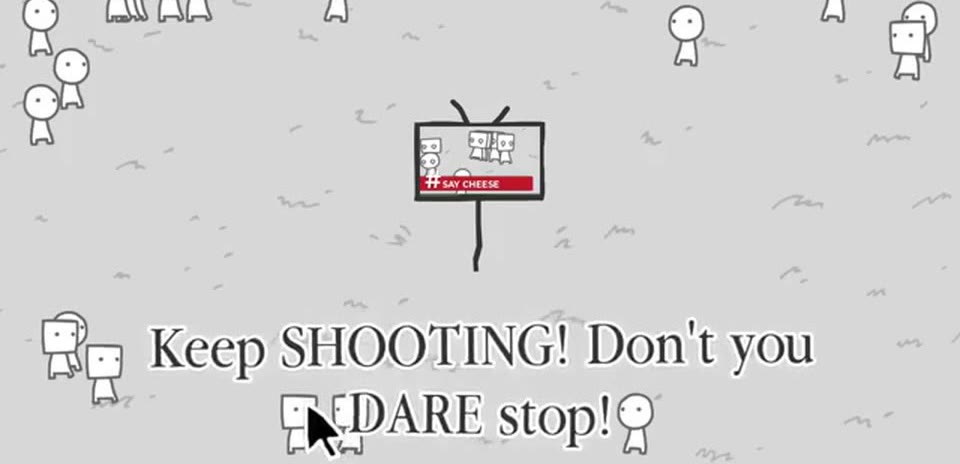
Reverse triggers when the crowd turns its attention from the park to the camera. The television reports that they are watching you, and the more you keep filming, the closer the crowd gets.
You are not photographing a specific event. You are photographing the act of being watched, which is why the route works best in an open area where figures can gather.
What to photograph
The people staring at your lens. Do not chase a single character or a television headline. Let the group assemble, then frame the faces that are already looking back at you.
Step-by-step route
- Stay in one spot and photograph the figures nearby instead of following a story.
- Wait for the crowd to notice the camera. The TV signal is They are watching you, with the implication that the park is asking why you keep filming them.
- Keep pressing the shutter as the crowd closes in. Do not stop or turn away.
- Continue photographing the onlookers until the camera turns around and the Reverse ending card appears.
Common mistakes
Moving through the park breaks the crowd's focus. Stay put long enough for the onlookers to gather. If you photograph a hat or a smile instead of the crowd, the run can drift into a different ending.
How to confirm the ending
The card reads Reverse Ending, ending 5 of 12, with the tagline "they turned the camera around and made you the story". The final shot is the park looking directly back at you.
Headlines to watch for
These are the on-screen captions that tell you the route is on track. If the TV stops using them, the run has moved to another story.
They are watching youThe crowd stares at the lensKeep shooting
See also
- All 14 Say Cheese! endings — the full list and recommended order
- Viral Ending route — the news found its story and the park paid for it
- Scared Ending route — nobody knew who to fear so they feared everyone
- Follow the Money Ending route — the park stopped watching the news and started watching the newsroom
- How Say Cheese! chooses your ending — route families and the last-photo prompt
- How to start a run — controls, camera, and your first photo
- Camera and TV guide — how a photo becomes a headline